


Photo Editor, Enhancer-ShotCam
4.1114.00 Reviews
App Specs
- Version
- 2.9.0
- Updated On
- License
- Free
- Downloads
- 1,000,000+
- Developer
- Mortys Games
- Categories
- Photography
- Platform
- Android, iOS
Screenshots
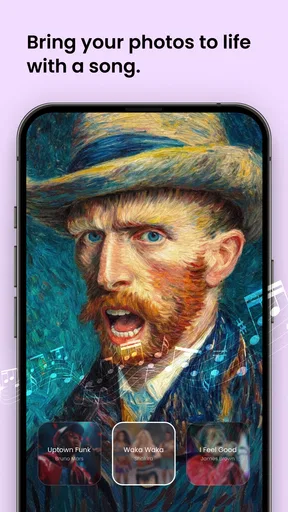

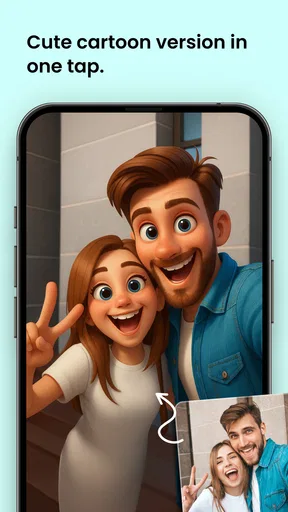

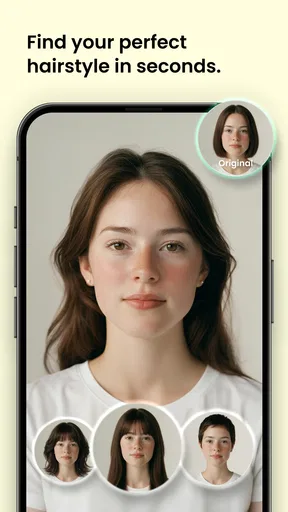
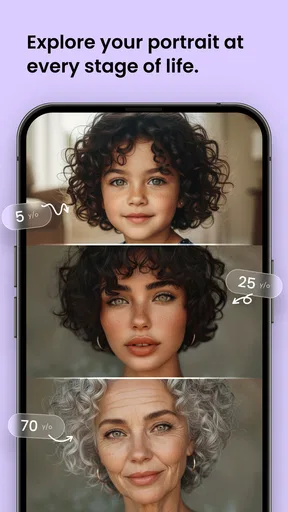

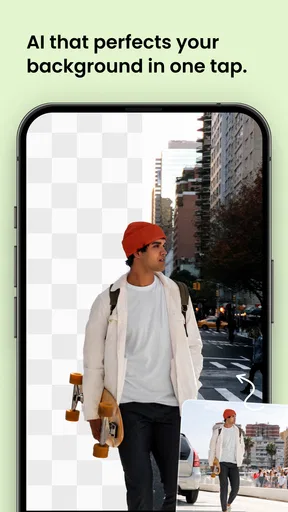
 Analysis by AppCompare
When it comes to photo editing on your phone, there are a ton of apps out there, but today I want to talk about Photo Editor, Enhancer-ShotCam. This app has been my go-to for tweaking my pics, and let me tell you, it's got some pretty nifty features.
Where the connection becomes part of the edit
Photo editing feels like a purely local task, but the experience can still be shaped by connectivity. With ShotCam, I would plan the edit itself around the tools on screen rather than assume every part of the workflow behaves the same way with a weak signal. If I’m starting from a shared image, looking for something to post, or sending the finished result onward, the network can matter even when the actual adjustments feel immediate.
That distinction is useful when deciding whether to edit during a commute or while waiting somewhere with patchy reception. I’d make the crop, tone, and retouching decisions first, then leave any sharing step until I have a dependable connection. It keeps a small interruption from turning into a reason to rush the creative part.
A practical fit for everyday phone photography
I see ShotCam working best for someone who wants to improve a photo without opening a desktop editor or juggling several specialized apps. A quick portrait can benefit from a small correction, while a travel snapshot may need a better balance of light and color. The body-shaping, background-changing, and object-removal focus also points toward people who want to alter a particular part of an image rather than build a complex composite from scratch.
For example, imagine taking a group picture at lunch and noticing a distracting item behind the table. I’d try the object-removal tool on a copy, inspect the surrounding edges at a closer zoom, and compare the result with the untouched image before sharing. That last check matters: edits around repeating patterns, hair, or sharp lines can look convincing at a glance but become obvious when enlarged. A modest correction is often more believable than trying to erase a large, complicated area.
The same cautious approach applies to body shaping and background changes. I’d make small adjustments, pause, and look at the whole frame rather than judging only the edited area. Straight edges, clothing seams, and the space around a person can reveal distortions. If the background is busy or the subject overlaps it heavily, a dedicated masking tool in a more advanced editor may give better control.
Choosing between an all-in-one editor and specialist tools
Compared with a basic photo app, ShotCam is appealing because it brings several kinds of correction together: improving the overall image, changing a background, reshaping a subject, and removing an object. That can save time when I only need a few careful changes. A simpler built-in editor may be quicker for a crop or a tiny exposure correction, though, and a specialist retouching app may be preferable when an edit needs precise edge work.
Worth Reading Before You Choose

Flipboard Shows What News Apps Must Do Beyond the Feed

Switching to Android Auto Means Rethinking Your Driving Routine

Google Calendar Makes a Crowded Week Easier to Manage

Ludo King Makes the Most of the Minutes Between Plans

Baby Panda World Brings Quick Play to Modern Phones, but Its Game Library Feels Busy

ESPN’s Live Game View Makes Following Close Games Easier
I would also choose a more traditional editor when the goal is a repeatable, consistent look across a whole batch of photos. ShotCam’s appeal is the direct, individual-photo workflow, not a reason to assume it replaces every editing tool. For color work, its more involved controls can be useful, but anyone who relies on a carefully managed professional workflow should check whether the app’s export and file handling fit that routine before making it their main editor.
Small workflow choices that improve results
My most useful habit with retouching is to work from the least destructive change to the most visible one. I’d first correct the photo’s general appearance, then try removing a distraction, and only after that consider changing the background or shaping the subject. This order makes it easier to notice whether the original problem was really the lighting or framing rather than the object I initially wanted to fix.
I’d also keep an untouched original and review the edited image at both screen size and a closer view. The full-frame check catches edits that feel out of place; the close check catches smudges and uneven edges. If a tool’s result looks too polished beside the rest of the photo, reducing the scale of the edit is usually a better choice than adding more corrections to hide it.
Who will enjoy it, and who may want another option
ShotCam is a sensible choice for casual creators, social posts, and personal photos where convenience matters more than detailed control over every selection. It may suit someone who wants to try a background change or tidy a small distraction without learning a desktop program. People who make frequent, high-stakes retouches, need exact selections, or expect a full professional asset workflow may be happier with a specialist editor.
It is free to download, with optional in-app purchases ranging from about three dollars to about thirty dollars per item. I’d try the free experience against the edits I actually make before paying for anything; the right value depends on whether the tools I use regularly justify the extra cost. The app is rated for Everyone, so it is broadly suitable from an age-rating perspective, though a parent should still consider how any editing app is used and what images are shared.
When an edit stalls or needs a second attempt
For a reliable routine, I’d avoid leaving a complicated retouch until the moment I need to post. If a share action is interrupted, I’d check the saved image in the phone’s photo collection first rather than immediately repeating the edit. That simple separation helps identify whether the work itself is preserved or whether only the handoff needs another try.
For object removal, I’d undo and retry with a smaller area if the result leaves a smear, especially near textured surfaces. For a background change, I’d inspect the outline around hair and accessories before deciding it is finished. These are not signs that every edit will fail; they are sensible checks for tools that alter pixels the camera originally captured. A quick comparison against the original also prevents accidental over-editing.
Using it thoughtfully on mobile data
If I’m watching data use, I’d do the editing first and postpone uploading or sending large finished images until Wi-Fi is available. Photo files can be substantial, and repeated exports or shares may use more data than the adjustments themselves. I’d also avoid making several near-identical versions unless I need them, keeping the finished copy and original clearly distinguishable in my own workflow.
ShotCam comes from Mortys Games and sits in the photography category, where it stands out through its combination of portrait and scene corrections. Its average rating is 3.9 from around 3,900 ratings, with about 70 written reviews, and it has passed one million installs. It arrived on January 4, 2025; the current version is 2.4.0, and it requires Android 7.0 or later. Those figures suggest a widely tried app, but I’d still judge it by whether its particular editing tools match the pictures I take.
Getting Started with ShotCam
First off, downloading and setting up ShotCam is as easy as pie. It's available for both Android and iOS, so no worries about compatibility. Once you fire it up, you're greeted with a clean and straightforward interface. Nothing too flashy, which I actually appreciate because it means I can dive right into editing without a learning curve.
Features That Impress
Now, let’s dive into the features. One thing that stands out is the auto-enhance option. It’s perfect for when you’re feeling lazy and just want to hit a button to make your photo pop. It adjusts the brightness, contrast, and saturation like a pro, and honestly, it makes a noticeable difference.
If you’re more into manual adjustments, ShotCam has you covered. You can fine-tune everything from exposure to shadows. The sliders are super responsive, making it a breeze to get the exact look you’re going for. Plus, the real-time preview is a lifesaver, so you're not guessing how the final result will look.
Filters Galore
Who doesn't love a good filter? ShotCam boasts a wide array of them, ranging from vintage to modern styles. They’re all customizable, so if a preset isn't quite right, you can tweak it to perfection. I’ve had a blast experimenting with these, and it's great for giving your pics a unique vibe.
Advanced Tools for the Enthusiast
For those of you who are more advanced users, ShotCam offers some powerful tools like curves and HSL adjustments. These features give you a level of control that’s usually reserved for desktop software. It's pretty impressive to have such capabilities on a mobile app. The learning curve is a bit steeper with these tools, but once you get the hang of it, the creative possibilities are endless.
Retouch and Repair
Another standout feature is the blemish remover. We've all had those moments when a small imperfection ruins an otherwise perfect shot. With ShotCam, you can easily retouch photos and remove pesky blemishes or unwanted objects. The tool is intuitive and works like a charm.
Exporting and Sharing
Once you’re done editing, exporting your masterpiece is simple. ShotCam allows you to save your photos in various formats and resolutions. Sharing options are integrated smoothly, so posting directly to social media or sending via messaging apps is hassle-free.
Wrapping It Up
After spending some quality time with Photo Editor, Enhancer-ShotCam, I can confidently say it’s a solid choice for anyone looking to elevate their mobile photography game. Whether you’re a casual user or a photo enthusiast, it offers a range of tools and features to suit your needs. Give it a whirl; you might just find your new favorite editing app!
Pros
- Intuitive user interface design.
- Wide range of editing tools.
- Real-time photo enhancement.
- Supports high-resolution images.
- Fast processing speed.
Cons
- Limited free version features.
- Occasional in-app ads.
- No batch processing option.
- Requires internet for full features.
- Some tools require a subscription.
FAQs for Photo Editor, Enhancer-ShotCam
What are the main features of Photo Editor, Enhancer-ShotCam?
Photo Editor, Enhancer-ShotCam offers a variety of features, including advanced photo editing tools, filters, and effects. It allows users to enhance image quality with AI-powered tools, adjust brightness, contrast, and sharpness, remove blemishes, and apply creative filters. Additionally, it supports batch editing, making it perfect for users who want to edit multiple photos quickly.
Is Photo Editor, Enhancer-ShotCam free to use?
The app offers a free version with basic features that are sufficient for simple edits. However, to unlock advanced features and additional content, such as premium filters and effects, users may need to make in-app purchases or subscribe to a premium plan. This ensures a more comprehensive editing experience.
Can I use Photo Editor, Enhancer-ShotCam without an internet connection?
Yes, Photo Editor, Enhancer-ShotCam can be used offline for most of its basic editing features. However, some advanced functions, like saving edited photos to cloud storage or accessing online resources and updates, may require an internet connection. Offline functionality makes it convenient for on-the-go editing.
Is Photo Editor, Enhancer-ShotCam suitable for beginners?
Absolutely, the app is designed with an intuitive interface that caters to both beginners and experienced users. It offers easy-to-use tools and guides, making it accessible for those new to photo editing. The app also provides tutorials and tips to help users get the most out of its features, ensuring a smooth learning curve.
How does Photo Editor, Enhancer-ShotCam handle privacy and data security?
Photo Editor, Enhancer-ShotCam is committed to user privacy and data security. It does not store or share photos without user consent. The app follows stringent data protection protocols and provides users with control over their data. Users can review the privacy policy within the app to understand how their information is handled.


